


1. Introduction
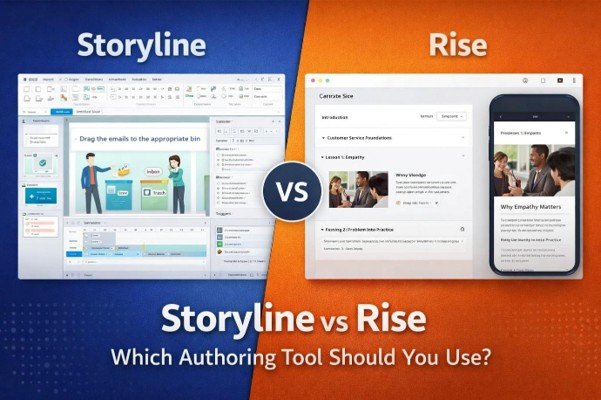
If you work in eLearning or corporate training, you’ve likely come across two of the most popular authoring tools today: Articulate Storyline and Articulate Rise. Both tools are incredibly powerful, but they serve very different purposes.
The real challenge for L&D teams isn’t choosing “the best” tool — it’s knowing which tool is best for each project. Think of Storyline as a powerful custom studio, and Rise as a fast, elegant design system.
In this blog, we break down their differences and help you decide when to use each one.
2. What Is Articulate Storyline?
Articulate Storyline is often described as the “Photoshop of eLearning.”
It allows for:
- High interactivity
- Custom triggers & variables
- Simulations
- Gamification
- Branching scenarios
- Complex visuals and animations
Storyline is ideal when you need a fully customized learning experience, where learner decisions, actions, and feedback matter.
3. What Is Articulate Rise?
Articulate Rise is the opposite in the best way possible — clean, lightweight, intuitive, and incredibly fast.
Rise is perfect for:
- Microlearning
- Compliance training
- SOP training
- Quick rollouts
- Mobile-first learning
With Rise, you don’t worry about layout or coding. It automatically creates beautiful, responsive courses that look consistent across all devices.
4. Storyline vs Rise: Key Differences
a. Interactivity
- Storyline: Offers deep interactivity — sliders, dials, branching, drag-and-drops, simulations.
- Rise: Limited but elegant interactions — flashcards, quizzes, timelines, processes.
Use Storyline when learners need to do.
Use Rise when learners need to understand.
b. Customization
- Storyline: Almost unlimited customization.
- Rise: Template-based, clean, and structured.
If you need brand-heavy, highly designed output → Storyline.
If you need quick, consistent layouts → Rise.
c. Development Speed
- Storyline: More time-consuming (visual design, triggers, QA).
- Rise: Lightning fast — drag, drop, publish.
When deadlines are tight → Rise wins.
d. Mobile Responsiveness
- Storyline: Responsive player, but objects don’t rearrange.
- Rise: Fully responsive — looks perfect on phones/tablets.
Rise is your go-to for mobile-first learning.
e. Learning Experience
- Storyline: Immersive and interactive.
- Rise: Clean, modern, easy to navigate.
Both offer great UX — in different ways.
5. When to Choose Storyline
Choose Storyline if your project requires:
✔ Scenario-based learning
✔ Software simulations
✔ Gamified assessments
✔ Custom graphics or UI
✔ Branching logic
✔ High-impact interactivity
✔ Detailed learner decision-making
Storyline gives you precision and creative freedom.
6. When to Choose Rise
Choose Rise if you need:
✔ Fast development
✔ Mobile-friendly learning
✔ SOP, policy, compliance modules
✔ Microlearning courses
✔ Beautiful layouts with minimal effort
✔ Content updates after rollout
Rise helps L&D teams meet deadlines without sacrificing polish.
7. The Best Approach: Use Both Strategically
Most modern L&D teams don’t choose Storyline or Rise — they choose both, depending on the project.
Here’s a hybrid approach that works beautifully:
- Build core concepts in Rise (fast + clean)
- Add simulations or scenarios using Storyline blocks
- Publish everything seamlessly in Rise
This gives you speed, quality, and interactivity — all in one course.
8. Conclusion
Storyline and Rise aren’t competitors — they’re complementary.
Storyline gives you creative power.
Rise gives you speed and elegance.
Choosing the right tool depends on your goal, audience, and timeline.
At EduCraftX, we help organizations build custom eLearning experiences using the best combination of tools for high-impact training. Whether it’s a quick microlearning course or a fully interactive simulation, we design learning that works.
Need help choosing the right tool for your next project? Let’s talk.